

HUD App Review October 2026


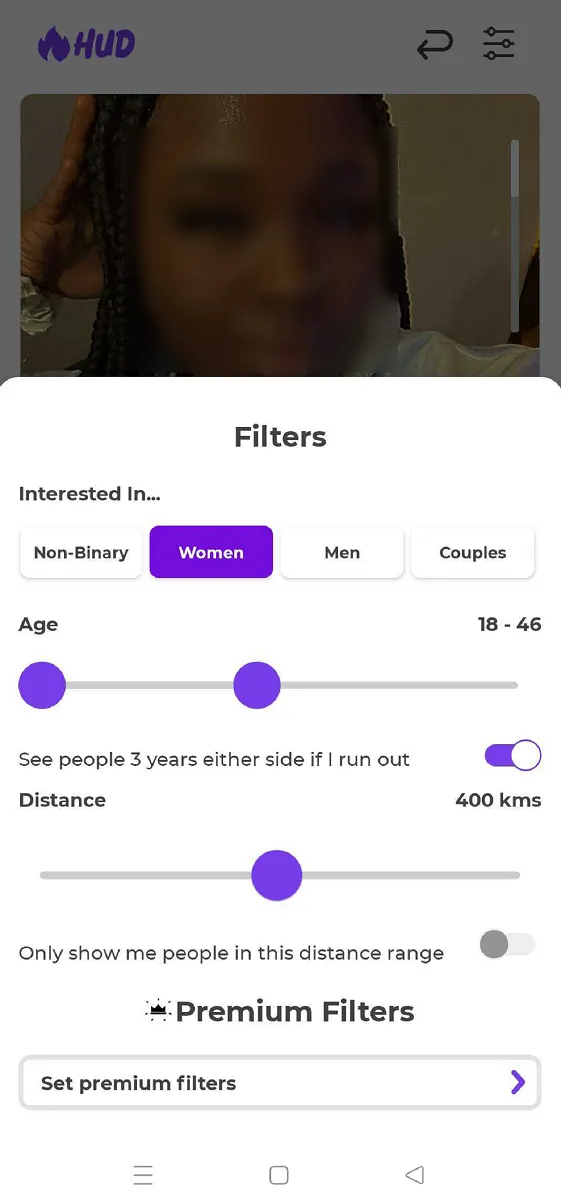
- Over 18 million members worldwide
- Available in 150 countries and 22 languages
HUD App in 10 seconds
- HUD App is short for Hook Up Dating and is one of the top hookup apps in the market
- Developed by Hud Studio Limited that is based in New Zealand
- Has 18+ million members worldwide
- Available in 150 countries worldwide and 22 languages
- Has female-friendly features such as photo filters and blurs
- HUD App is available for iOS and Android users
- The app has lesser female members
- Provides general free services and options to upgrade to premium - Learn more here

“HUD App is a great place to find like-minded individuals who enjoy casual dates and hookups. If you find the app's premium services expensive, you may still try its 7-day free premium access. ”
Better than HUD App


Who is HUD App for, and not for?
- Singles who are into casual flirting
- If you are looking for casual dating with no strings attached
- If you are looking for casual sex and hookups
- For people looking for serious relationships and deep commitments
- For singles who want to fall in love
- For singles who have conservative sexual beliefs and values
HUD App pros & cons
- The app is accessible in almost 150 countries with 22 languages
- Offers 7 days free access to premium features
- Offers dating prompts that can increase profile matches
- Female members are outnumbered by male users
- Most profiles are incomplete
- Not suitable for singles older than 35 years old
What HUD App really costs
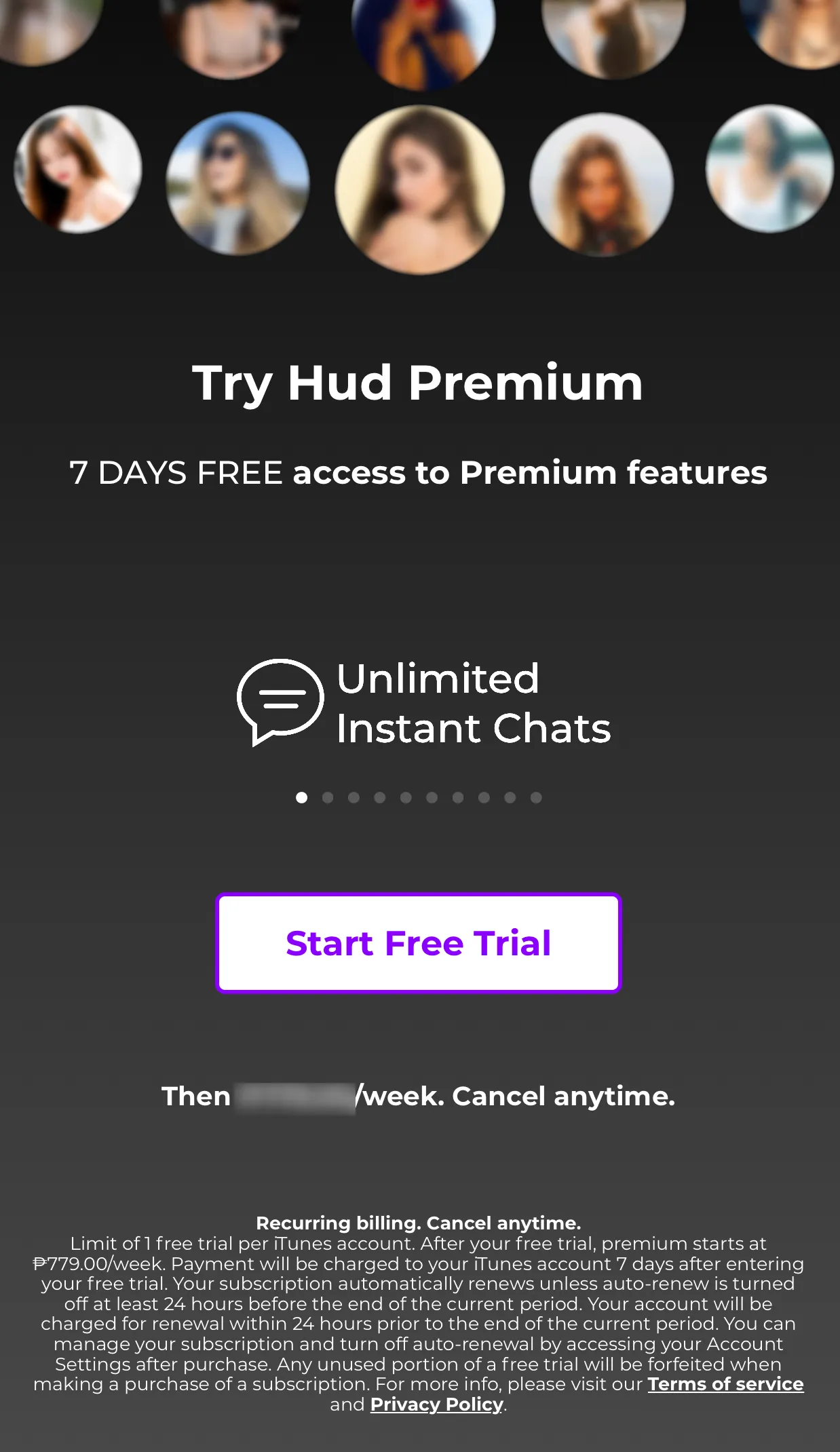
- You can test HUD App free of charge
- You can at least read a message for free to try the service
- Registration, profile browsing and limited likes are free, but instant chats to anyone need a paid membership.
- You can read messages for free and send unlimited messages with matches.
- Subscriptions auto renew at the end of each billing cycle.
- Boosts cost 3.50 USD to 9.99 USD, while sparks cost 1.00 USD to 1.60 USD.
- Registration
- Browse profiles
- Like profiles (limited)
- Up to 60 potential matches
- Unlimited messages with matches
- 7-Day Free Trial
- Read dating tips
- Link Spotify Account
- Unlimited Profiles
- Unlimited Likes
- Instant Chats To Anyone
- Instantly Match Who Likes You
- Incognito
- Unsend Messages & Rewind Dislikes
- Send Sparks
- Read Receipts
- Premium Filters & Search
- Boost Profile
The HUD app offers two subscription tiers, Premium and Premium+, to enhance the user experience.
Both subscription tiers operate on an 'auto-renew' basis, meaning the subscription refreshes automatically at the end of each billing cycle, ensuring uninterrupted access to premium features. Upgrading to either Premium or Premium+ is a straightforward process within the HUD app. You need to navigate to Account Settings, choose Manage Memberships, and select the desired subscription tier.
Boosts – Elevate your profile visibility for 60 minutes. The cost varies between USD3.50 to USD9.99 per boost, contingent on the package selected (1, 5, or 10 boosts).
Sparks – Enhance your match potential by dispatching these virtual expressions of interest known as sparks. The pricing is from USD1.00 to USD1.60 per spark, dependent on the package choice (5, 105, or 30 sparks).
Member numbers you find online are usually very inaccurate, so we estimate how many people are really on HUD App from traffic data and interest in the service, updated monthly. (2026-09)
Gender proportion: 40% ♀ / 60% ♂
HUD App age range and age distribution
- 18 million+ registered members internationally
- Members are after short-term relationships
- There are more male than female users
- Most of the members are from the United States
- Majority of the users are young adults
HUD App has 18 million+ registered members and is continuously garnering attention internationally. Members are seeking short-term relationships and casual hookups.
Male users dominate the app; most members come from the United States. Most of the members are young adults with ages 18 to 34 years old.
How does HUD App work?
- Set up a personalized profile for free
- Browse through profiles using the Match Feed feature
- Engage with other users by sending likes, messages, or using Dating Prompts
- Upgrade to Premium or Premium+ memberships to access advanced features
- Utilize the provided safety tips for a secure online dating experience
The HUD app provides you with a platform to create a personalized profile, discover potential matches, and interact with others in a casual dating setting. You begin by setting up a profile with photos, a bio, and specified interests and have the option to link your Spotify account to share musical preferences.
The app's Match Feed feature categorizes potential matches into different tabs (New, Active, For You) based on various criteria, facilitating easier navigation and discovery. Interaction is encouraged through likes, messages, or Dating Prompts to kickstart conversations.
For a more enriched experience, you can opt for Premium or Premium+ memberships, unlocking advanced features like the Rewind option to revisit the last closed profile and Incognito Mode for a more private browsing experience.

Find out if HUD App is the right service for you or if there are better options.
Strongest regions
- New South Wales100
- Queensland80
- Victoria80
How often HUD App is searched for in each region, from Google Trends over the past 12 months. The darkest region scores 100; 50 means half as many searches. This is relative interest, not a member count. (Google Trends, 2026-09)
HUD App in detail
Signing up at HUD App ★★★★★ 2.0/5
- You must be at least 20 years old to sign up
- You must sign up to browse HUD App
To sign up, download the HUD App app, available on iOS and Android. To complete the registration, provide all required information.
Required information
- Name
- Date of birth
- Location
- Your gender
- Type of relationship wanted
- Partner's gender
- Profile picture upload
Optional information
- Profile bio / greeting
- Your physical appearance
- Personal questionnaire
HUD App verifies new profiles via:
- Live video selfie (optional)
For verification purposes, HUD App gives new members the option to upload a live selfie or skip it for later. However, verified profiles get more attention from other members.
Making contact on HUD App ★★★★★ 2.5/5
- Video chat is available
- Send recorded voice and video messages
- Make a move and get other members' attention
- Manual searching is not available
- You cannot contact other members unless you upload a profile picture
- Unlimited chatting
- Anonymous mesaging
- Everybody can send messages for free
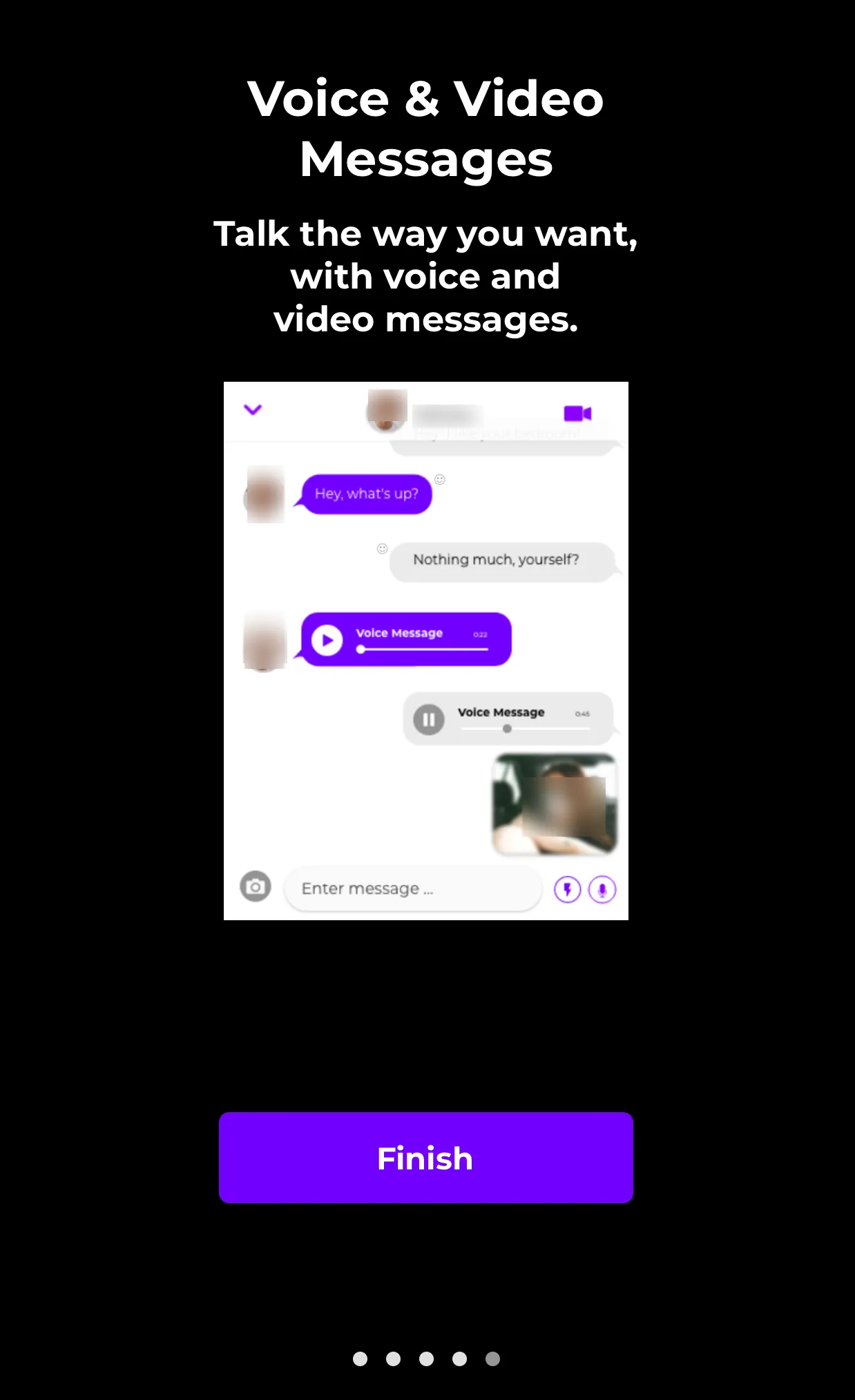
There are several ways to communicate and connect with other members of HudApp. One of its best-contacting features is unlimited chatting. Video Calling is free and it has a special feature of blurred call if the members are not comfortable to see each others' faces yet. You can also send and receive photo messages. It gives the app an extra thumbs up since meeting people is the main purpose of any dating app.
Even if manual searching is not a feature of the app, you have the option to scroll and browse among the members and react to their profiles by clicking like or dislike. They call it endless scrolling which is similar to Tinder's Swiping feature. The difference is you can press the button of your choice, whether you like it or not.
It is strongly encouraged that you should upload a profile picture before you start connecting with other members.
Profile quality ★★★★★ 3.0/5
- Profile photo is required before you can mingle with other members
- Shows STD badge
- Strict guidelines for photo uploading
- Asking for money or promoting Snapchat or cam sites are prohibited
- Create your own avatar and use accessories for more fun
- Profiles are moderately detailed
- Profile pictures are visible to everybody for free
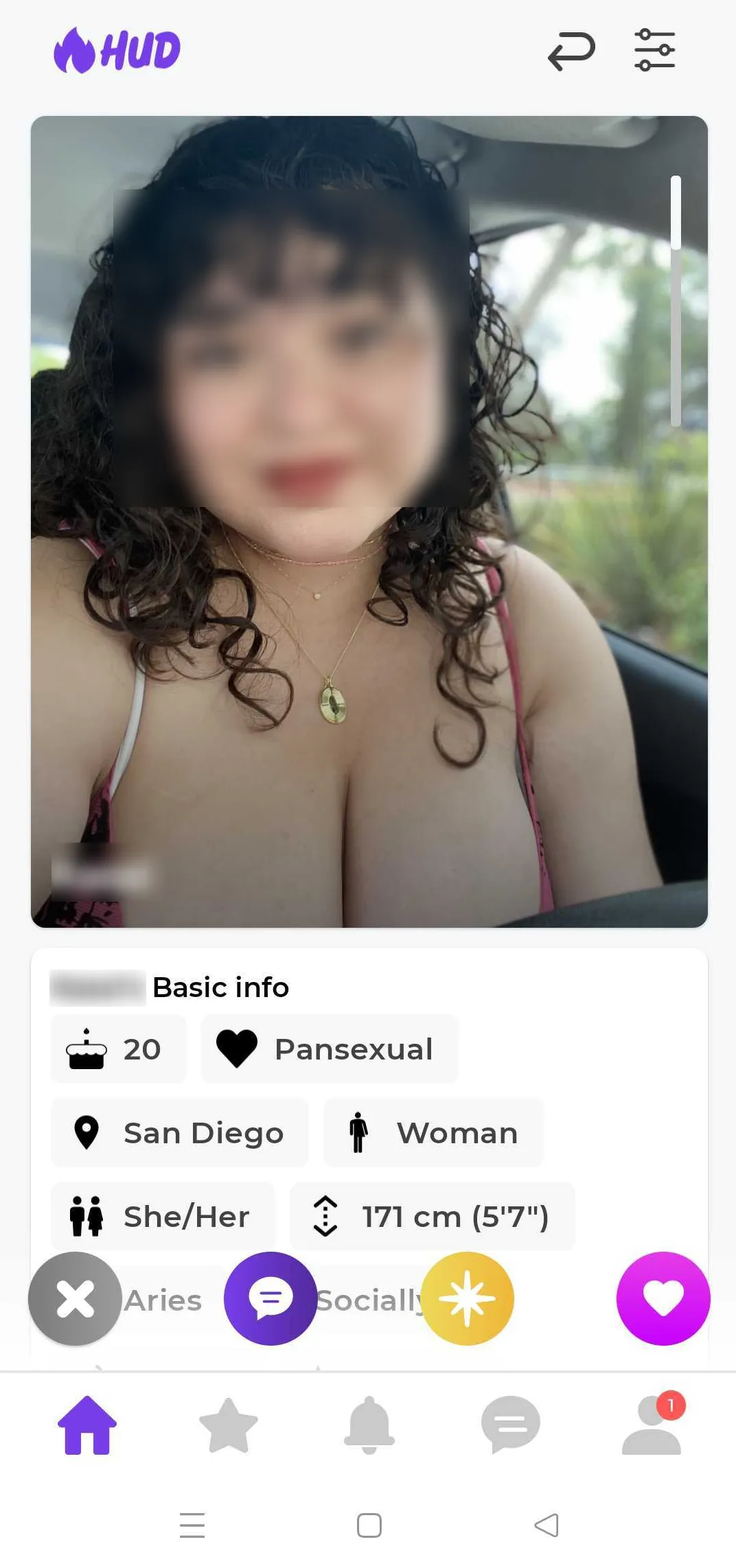
Profiles in the HUD App are not very detailed compared with other hookup apps. However, a profile photo is required before users can use the app's messaging services.
The app has strict photo upload guidelines, discouraging users from promoting their social media accounts. The app also prohibits users from asking and receiving money or gifts with monetary value. The good thing about the HUD App's profiles is the STD badge shown on their profiles. This means the user is free from sexually transmitted diseases and is safe to hook up with.
Users can create their avatars for an enhanced dating experience.
Guidelines for uploading photos:
- The face should be visible
- Should be alone in the photo
- No minors in the photo
- Hiding your face or facing back
- Photos that are blurred will be rejected
The HUD App app ★★★★★ 3.0/5
- App is available in Apple Store and Google Play Store
- Download HUD App for free
- Has a modern and appealing design
- Loading time is fast
- Not likely to crash
HUD App is available in Apple App Store and Google Play Store for free. It has a modern and appealing design and can be used simultaneously with other applications.
The app is mobile and tablet compatible and works well without crashing.
Our field test ★★★★★ 2.5/5
My boyfriend left me and I was broken hearted for months. A friend was using HudApp and she covinced me to try it too. The first few weeks were boring. But it's now my sixth week and it's starting to be fun. Meeting a lot of hot guys now. This is exciting! - Karla, 27
This app is not useful at all. Good thing there was a free premim trial. I tried using all the features, but it's not good enough for me. -Mark, 33
Design & usability
Design and Usability
The design of HUD App is modern and also inviting. The contrast of colors makes it more appealing, especially to the younger generations. It's neat and can let you choose and scroll along with its features.
However, the loading time is a little bit slow, which can become annoying.
Most features are easy to use, except for signing up using the mobile number. People who don't have either an Apple ID or Facebook account won't have an easy time creating their HudApp account.
For security purposes, the app blocks the profile quickly once it detects unusual activity, location, or other credentials.
Special features
You can enjoy the premium features of the HUD App once you sign in for the 7-day trial period. Here are the functions that you might enjoy:
Premium Filters +
Filter out matches based on your preferences.
Boost +
Boost your profile and make it more visible to other members.
My Bedroom +
The Bedroom serves as a space where you can explore the specific kinks of your match, along with insightful explanations on how they can be embraced in the bedroom.
This eliminates any unease surrounding what can be comfortably requested when you eventually meet up. Additionally, this feature may also offer a learning experience as you discover new aspects along the journey.
Sparks +
Sparks are a one-time use token that can be sent to another member who has sparked your interest. Send one by tapping the Spark button between the Pass and Like buttons while viewing a profile.
Heart or Reject Profiles +
You’re presented with a stack of profiles and you indicate whether you like them or not. While you can’t swipe left and right like most of the competitor apps, you tap the heart or X icon to indicate yes or no. If you both “heart” each other, it’s a match and you’re free to start chatting.
Dating Prompts +
Dating Prompts are designed to help you initiate conversations light-hearted and engagingly. They usually consist of open-ended questions or topics that encourage discussion, sharing, and interaction, making it easier for people to communicate and get to know each other in social or professional settings.
Top Profiles +
With a paid subscription, you can access the "Top Profiles" feature, which allows you to see profiles garnering the most interest alongside newer profiles on the platform. This feature can enhance your interaction and engagement on the app by highlighting popular or intriguing profiles.
Get Garbo +
HUD has partnered with Garbo, a new online background check that helps individuals see if someone has a history of causing harm using limited information like a first name and phone number. Garbo's background check scans available arrest, conviction, and sex offender records to see if they can identify any harmful or violent records potentially associated with an individual.
Safety Tips +
The "Safety Tips" feature on the HUD App is a collection of guidelines and advice aimed at helping users navigate the online dating landscape securely.
Customer Support +
HUD's customer support team is very responsive. They have a separate contact form for questions, feedback, or any issues you may have found in the app. You can also add attachments like photos and screen records.
Link Spotify +
Linking Spotify allows you to share your music preferences with potential matches, enhancing your connection with others based on shared musical interests. This feature adds a layer of personalization to your profile, letting others know your taste in music.
Push Notifications +
Push Notifications are alerts sent to your mobile device to keep you updated on activities within the app, such as new messages, profile likes, or match notifications. This feature ensures you don't miss out on potential connections or important updates, even when you're not actively using the app.
Match Feed +
The "Match Feed" feature in the HUD App is designed to enhance your experience by categorizing potential matches into distinct tabs, helping you navigate and connect with others based on different criteria.
Incognito +
The "Incognito Mode" feature allows you to browse and use the app while keeping your profile hidden from the general match feeds, providing privacy during your activity on the platform.
Rewind Dislikes +
The "Rewind Dislikes" feature is available to Premium and Premium+ members. It allows you to revisit and potentially change your decision on the last profile you closed. If you made a quick dismissal (a swift "x") on a profile and regretted it, the rewind feature lets you return to that profile, allowing you to revise your initial decision.
For You, Active, and New +
The For You category shows more personalised recommendations of profiles. The Active tab shows users who are very active but still meet a your filtering criteria. The New category is for you who’ve just recently joined.
Cancelling your HUD App subscription
How you can cancel
- Via the app store's subscription management
Contact details
| Company | Hud Studio Limited |
|---|---|
| Address | Level 11, 19 Victoria Street West, Auckland 1010, New Zealand |
| info@hudapp.com |
Do subscriptions auto-renew?
Subscriptions renew automatically, cancel at least 1 day before your current term ends.
Money-back guarantee
- HUD App does not offer a money-back guarantee
Do your credits expire?
Credits you buy on HUD App do not expire.
Better than HUD App
HUD App FAQ
What is HUD App?
HUD App is a dating app for people who are looking for short-term flings and hookups only.
How can I download HUD App?
HUD App can be downloaded from the Apple Store or Google Play Store. It also has an available apk version.
Is it possible to sign up as a couple in HUD App?
Yes, you may sign-up as an individual or as a couple.
Can I sign-up using my Facebook account?
Yes, you can. It is possible to sign-up using your Facebook account but you will still need to input some more information. The site claims that it doesn't post anything on the Facebook page.
What is inclusivity in HUD App?
Inclusivity means that everybody is included in terms of gender, physical appearance, relationship status, among others.
Can I sign-up using my Facebook account?
Yes, you can. It is possible to sign-up using your Facebook account but you will still need to input some more information. The site claims that it doesn't post anything on the Facebook page.
What is inclusivity in HudApp?
Inclusivity means that everybody is included in terms of gender, physical appearance, relationship status, among others.
Can I still use HUD App without paying for premium membership?
Yes, you can create an account on HUD App for free. You can also browse members for free!
How can I pay my HUD App membership?
You can pay for membership using your Apple ID account or credit card.
Do I need to disclose private information register for HUD App membership?
HUD App will ask for your location, mobile number, and even "bedroom ideas". You can answer as general or as specific as you want.
What are the different status of HUD App messages?
There are four status for messages: pending, sent, delivered, and read.
How can I upload my photos on HUD App?
Upload the photos on HUD App directly from your phone's camera. You have to follow strict guideline or else, your account might get suspended.
I can't see my gender from the HUD App registration option, what should I do?
You may check on more options which can be found below the main genders (male and female). If it's still not on the list, feel free to reach out to HUD App to raise your concern.
You did not find your question? Ask us!
Thank you for your question. We will answer it as soon as possible.